Your Talent Network has moved to Humanly.
The tools you used with BOLD/CareerBuilder are now available in an updated Humanly-powered platform, with your candidate data, jobs, and core workflows preserved.
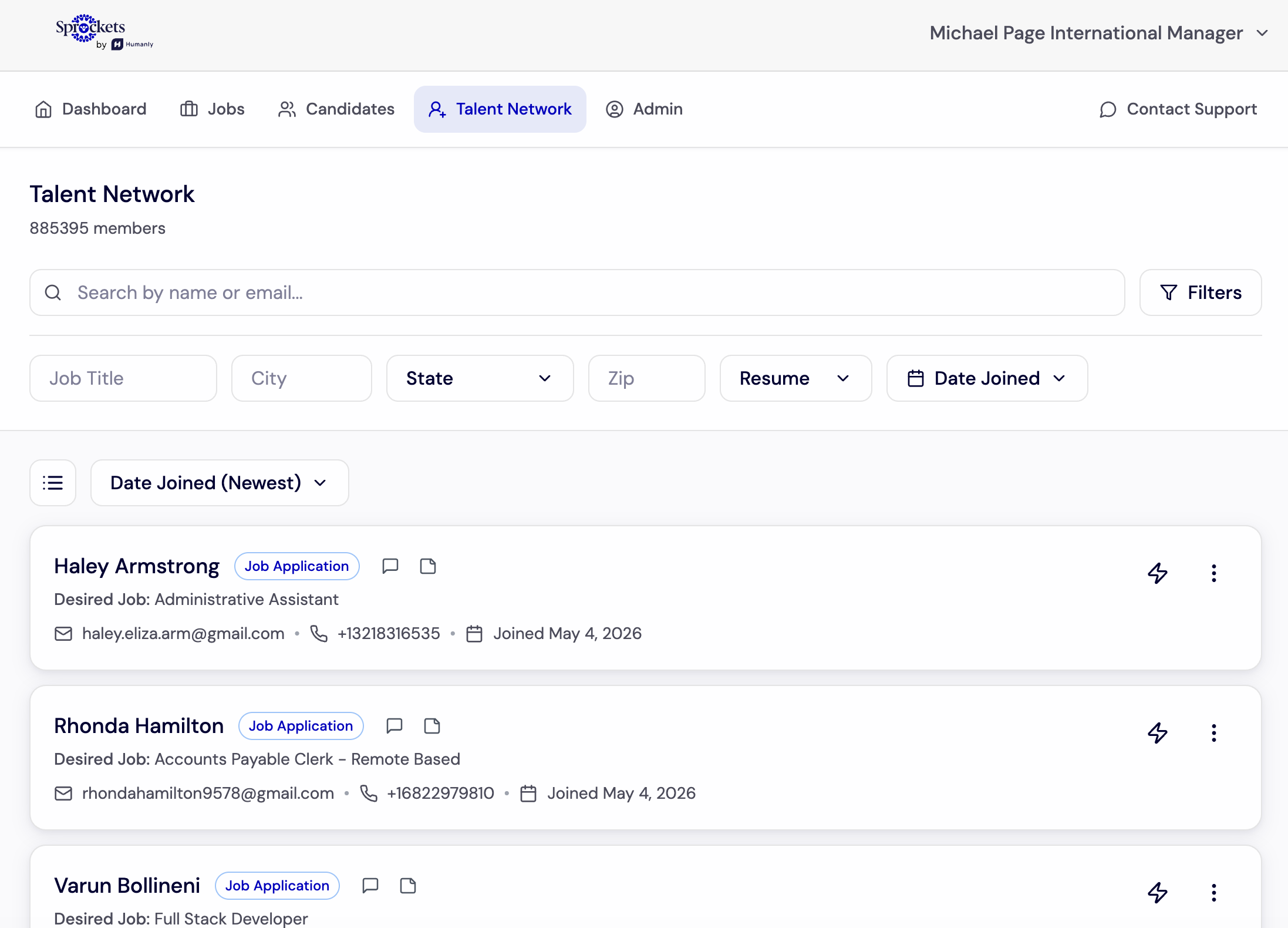
Same Talent Network, updated experience.
This page is here to help you understand what moved, what stayed the same, what may look different, and how to start using the Humanly-powered Talent Network with confidence.
Start Here
Your Talent Network transition, explained
Whether you used Talent Network often or are just learning what was included, this page explains what moved to Humanly, what stayed the same, and where to go next.
CareerBuilder → Humanly
What stayed the same, what improved, and where to go next
Your Talent Network is not going away. It has moved to a Humanly-powered experience designed to make the same core tools easier to access, with added automation and engagement capabilities available over time.
Use this page based on what you already know
If you used Talent Network before, your core process should feel familiar: your data, jobs, and workflows are coming with you. If you were not using every tool before, this page also gives you a simple overview of what is now available in your Humanly account.
Feature comparison
What you have access to
How it works
How your Talent Network supports hiring
Get comfortable with the updated experience
Use the tutorial library below to see where key tools live now and how to complete common Talent Network tasks in the Humanly-powered platform.
Tools in your account
What you can use in the updated platform
Some of these tools may be familiar from your previous Talent Network experience. Others may be easier to access now or available as enhanced Humanly capabilities.
Tutorial Library
Get familiar with the updated Talent Network
Use these quick walkthroughs to understand where key tools live now and how to complete common tasks in the Humanly-powered experience.
Need help with your Talent Network transition?
Review the tutorials, log in to your updated account, or contact the Humanly team for help with access, links, or questions about the transition.
Create a clean, shareable destination for applicants and make it easier to direct traffic from every sourcing channel into one consistent application experience.
- Gives your team one polished destination to promote across recruiting channels.
- Creates a more consistent, branded experience for applicants.
- Helps reduce friction from scattered application paths.
- Share one link through text, QR, job posts, social, or local promotion.
- Route candidates into a cleaner top-of-funnel experience.
- Make it easier for hiring teams to manage interest consistently.
Capture better signal earlier by using role-specific questions that make it easier to compare candidates and standardize decision-making across locations.
- Gives managers more useful information before interviews begin.
- Creates more consistency than relying on generic applicant data alone.
- Supports better screening quality without slowing down the process.
- Collect stronger inputs for scoring and prioritization.
- Reduce wasted interviews with low-fit candidates.
- Use structured forms to support more repeatable hiring decisions.
Define what high-performing employees look like for each role so Sprockets can better align screening and prioritization with the outcomes you care about.
- Turns “gut feel” into a more structured hiring approach.
- Helps create alignment around what good looks like.
- Supports cleaner prioritization across different managers and sites.
- Score applicants against role-specific success traits.
- Focus time on candidates more likely to perform well long-term.
- Build more consistency into the screening process.
Extend reach and visibility by supporting Indeed workflows while keeping the rest of your hiring process connected through Sprockets.
- Helps expand top-of-funnel reach when volume matters.
- Supports a more coordinated sourcing strategy.
- Keeps the experience tied back to the rest of your workflow.
- Promote priority roles with stronger visibility.
- Maintain a cleaner handoff from source to application process.
- Support hiring teams without forcing separate systems to drive everything.
Remove back-and-forth from interview coordination and make it easier for qualified candidates to book time quickly while interest is still high.
- Reduces delay between candidate interest and interview booking.
- Helps managers stay responsive without manual coordination.
- Supports a faster, smoother candidate experience.
- Move qualified candidates forward automatically.
- Minimize friction that causes drop-off before interviews happen.
- Create a more scalable scheduling process across locations.
Help managers make decisions and act on them faster with tools built for real-world hiring pace, whether they’re at a desk or on the go.
- Keeps momentum high once the right candidate is identified.
- Reduces time lost between interview, decision, and offer.
- Makes it easier for managers to stay involved without slowing the process down.
- Review applicants, approve movement, and send offers faster.
- Support distributed teams with a simpler action layer.
- Improve responsiveness where speed wins candidates.
Keep the hiring pipeline organized with a clearer way to review applicants, manage interviews, and maintain follow-through from first response to final decision.
- Helps teams avoid missed follow-up and stalled candidates.
- Creates more visibility into where each applicant stands.
- Supports cleaner collaboration across hiring stakeholders.
- Move candidates through the process with less confusion.
- Keep interview workflows and ownership clearer.
- Reduce drop-off caused by inconsistent communication.
Extend the value of the platform beyond hiring with communication touchpoints, milestone outreach, and feedback loops that help employees feel seen and supported.
- Supports the critical early days of employment when retention risk is often highest.
- Helps organizations create a more consistent post-hire experience.
- Turns communication into a more intentional part of workforce performance.
- Automate milestone-based check-ins and outreach.
- Capture employee sentiment and surface issues earlier.
- Reinforce connection after the hire, not just before it.
Make performance easier to understand with clearer visibility into applicant flow, hiring activity, and where your team can improve speed or process consistency.
- Helps leaders identify friction points instead of relying on guesswork.
- Makes it easier to compare performance across teams or locations.
- Supports stronger process management over time.
- Understand where candidate flow is strongest or weakest.
- Spot workflow bottlenecks earlier.
- Create a more informed view of hiring activity and follow-through.