



























Log in to your iCIMS dashboard and scroll to the center column. Find the panel labeled
“ATS Migration Preparation.” This widget appears on Franchisee accounts only.
If you do not see it, the primary franchisee must request access by emailing
ATSSupport@massageenvy.com.
Select the report labeled Export All Candidates (no date range).
This pulls all candidates who have not unsubscribed from communication.
Note: The order reports appear may vary by account.
iCIMS can only display up to 50,000 records at once. If the report returns this, export your data in yearly batches.
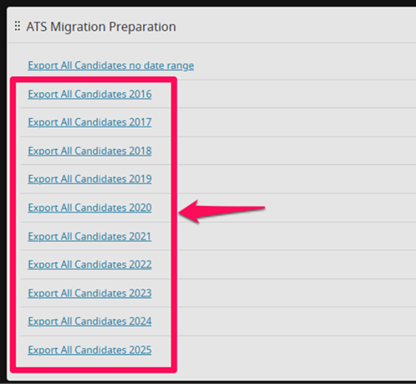
If fewer than 50,000 results are shown, you can export everything at once. Click the checkbox at the top left to select all candidates.

With all candidates selected, click More at the top right and choose Export.
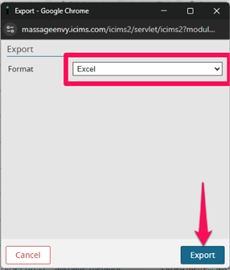
Select your preferred format (recommended: Excel .xlsx) and click Export. Large files may take several minutes to prepare.
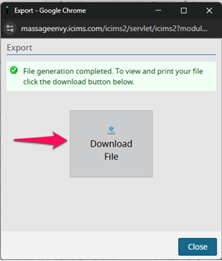
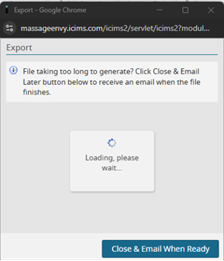
- Select Download File when ready, or
- Choose “Close & Email When Ready” to receive a link.
Important: Files contain protected personal data — store securely.
There are only ~200 licensed therapists per clinic — every applicant matters.
Your previous applicants are often your strongest future hires.
After 12/25, historical applicant records can’t be recovered.
Re-engaging past applicants is significantly faster than sourcing new leads.
Don’t lose access to your valuable candidate history — export your data before December 25.
View Instructions